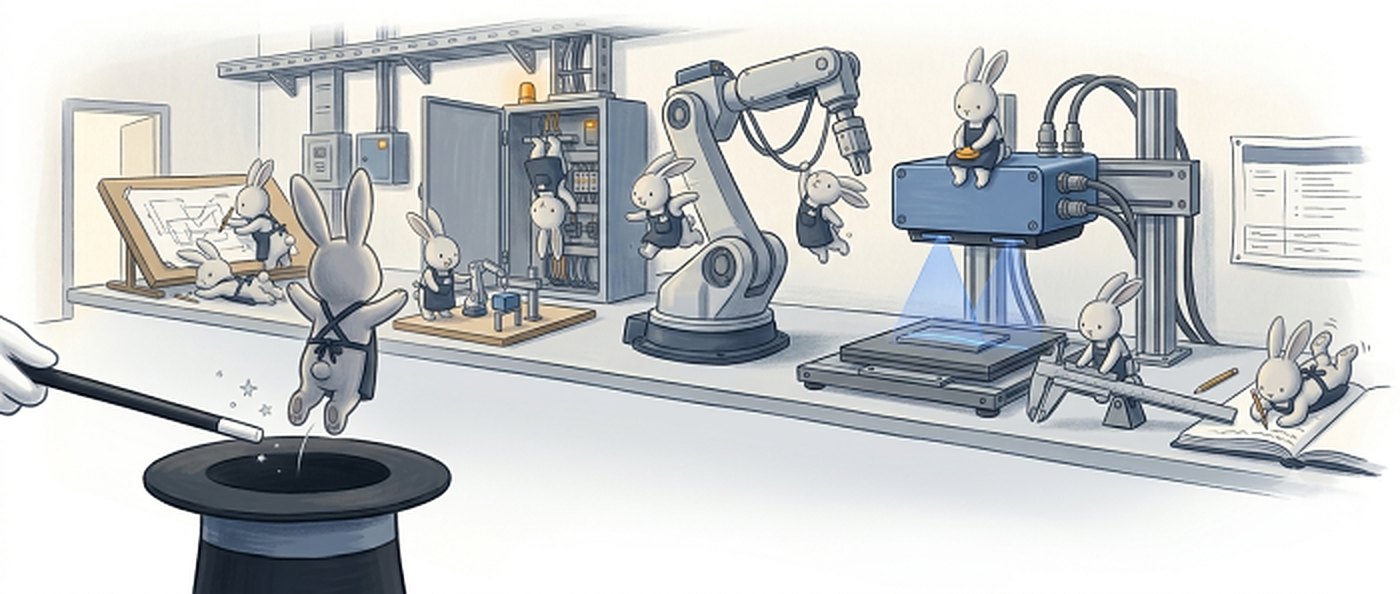
Illustration: a magician's wand points at a top hat while rabbits run a lab bench: a drafting table, a control cabinet, a robot arm, a 3D scanner and a measurement bench.
  1. 09:41:02 stage.move(x: 105.0) risk B
  2. 09:41:02 sim rehearsal passed
  3. 09:41:05 approved by operator
  4. 09:41:06 measured → journal

The physical AI harness

State the goal.
The rabbit gets the lab running.

C3D Studio is the agentic harness for real-world automation. It puts inspection cells, handling cells and lab equipment behind typed calls that AI agents can use, and every actuation passes a risk class, a simulation rehearsal, an approval gate and a journal.

0+

typed functions in one toolset

0+

1D, 2D and 3D algorithm functions

0+

device drivers across vendors

0+

MCP tools, each with a risk class

Why we exist

Models are becoming commodities. What stays scarce is a safe contract that reaches real equipment, and the record of everything it did. That is what we build.

Two ideas

A harness, so AI acts safely.
An ontology, so it acts sensibly.

Everything further down builds on these two. The harness decides whether a call may run. The ontology knows what that call means in your cell.

01 · The harness

The contract between AI and equipment

Every device and function sits behind a typed call. Each call has a risk class, is rehearsed in simulation, is approved by a person when it has to be, and is written to a journal.

  • typed calls
  • risk classes
  • sim rehearsal
  • approval
  • journal

Answers: may this call run?

An agent can drive real machines without being trusted blindly.

02 · The ontology

The cell's meaning, as data

The things in the cell, what each can do, what every action needs and changes, and the rules people carry in their heads, written down as typed data the harness can check.

  • things
  • capabilities
  • actions
  • rules
  • facts

Answers: does this action make sense, right now?

A wrong action is refused in milliseconds, before a rehearsal, a person or the machine.

plan ontology preflightmeaning harness gaterisk · rehearsal · approval machine ledger facts flow back into the ontology

Why both The plan asks for a scan of side B. The part is lying side A up.

✕
Harness aloneThe risk class is fine, the rehearsal passes, the operator approves. Side A is scanned and recorded as side B, and the result looks normal.
✓
Harness + ontologyRefused at preflight: R-SIDE-UP · side A is up. Nothing ran and nobody was asked. The agent re-plans with a flip.

01 · The harness in detail

From one agent call
to a moving machine.

Typed calls

Stages, robots, cameras, 3D scanners, DIO and PLC links sit behind typed calls. Agents reach them over MCP and use the same calls a person would.

A risk class on every call

Each of the five risk classes decides which gates a call has to pass before anything moves. Motion limits are validated before a change is committed.

Rehearse in simulation

Motion runs in the simulator first. Only a passing rehearsal earns a ticket, and the gate re-derives that ticket instead of taking it on trust.

A human approves

Decisions that need a person go to the approval window. The handshake fails closed, an agent cannot approve itself, and nothing else stalls while the operator decides.

Run, and keep the record

Every actuation lands in the change journal and the experiment ledger. Any run can be reproduced, halted, or handed over as it stands.

In practice · XZT scanner

One 3D scan,
through the harness.

One machine, two copies

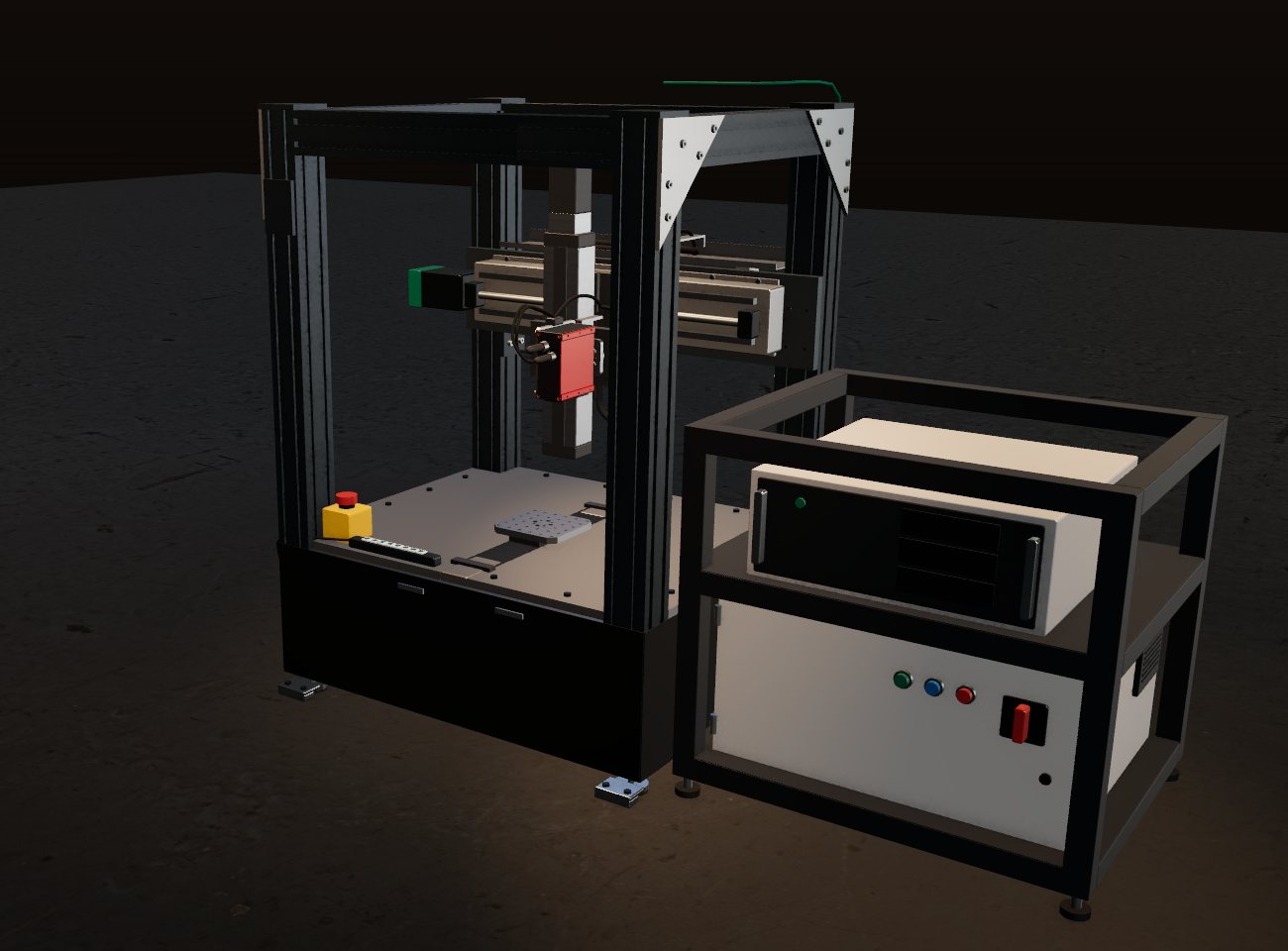
XZT is a tabletop side-head X/Z/T gantry: a 2 kg 3D profile sensor on a tilt head, over a Y stage and a rotary seat. Drives, controller and PC sit in a two-tier rack beside it. One Studio app drives the real machine and its simulated twin through the same calls.

The head: X, Z and tilt

The head moves in X and Z and tilts to face the part's side walls. Every axis carries a motion limit the gate checks before a move is committed.

The part: Y stage and rotary seat

A Y stage and a rotary seat carry the part through the sensor's line and turn it, so one pass sweeps a face and the next face comes round.

Rehearse in the twin

The scan path runs in the twin first: reach, clearance to the frame, cycle time. A passing rehearsal issues the ticket the real move needs.

Approve, scan, record

The operator approves, the real gantry scans, and the point cloud, the measured features and the approval land in the journal together.

  1. twin xzt loaded · axes x z t y r
  2. stage.move({x: 105, z: 150, t: 0}) risk B
  3. scan.plan({faces: 4, pitch: 0.05})
  4. sim rehearsal passed · ticket issued
  5. approved scan → cloud → journal
Render of the tabletop XZT gantry: an aluminium-profile frame on a table with a red 3D profile sensor on a tilt head over a part seat, an emergency stop and keypad on the front edge, and a two-tier rack beside it holding an industrial PC and the electrical cabinet. Industrial PC · rack 3D sensor · X / Z / T Y stage · rotary seat E-stop · keypad Drives & controller
XZT tabletop · rendered from the same machine package the twin runs

Ready-made cells

From block sorting to pouring water.
Install one, adapt it, ship it.

Each example is a complete app, a state chart, a form and scripts, running in the built-in robot simulator, which handles rigid parts, cloth and liquid. The agent installs one and adapts it to your spec; the same calls then drive the real cell.

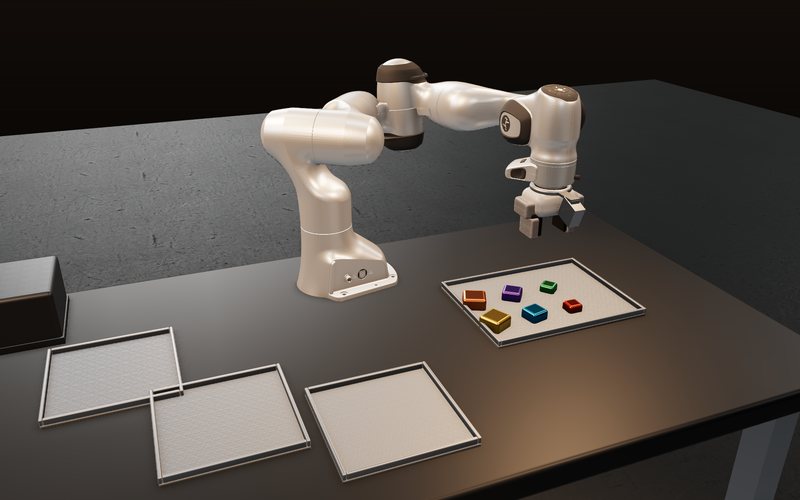
Simulator render: a 7-axis arm over a tray of coloured blocks, with three empty sorting bays on the desk.
blockpick

Desktop block sorting

An eye-in-hand depth camera tracks each block down to the grasp and sorts it by size.

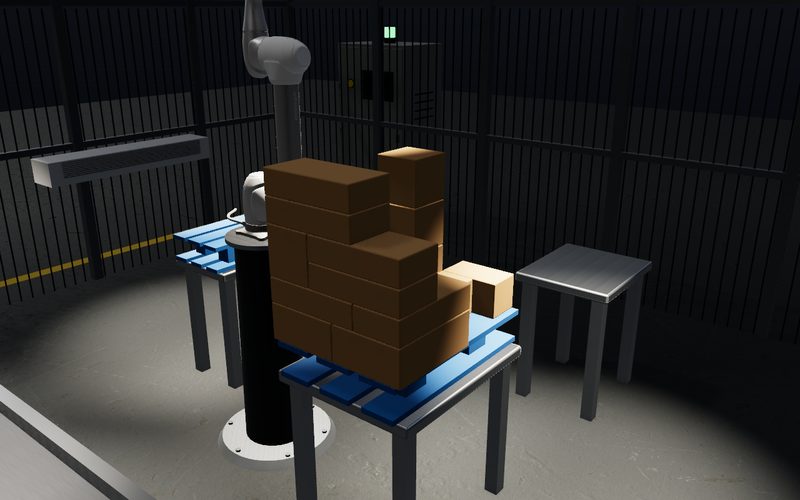
Simulator render: a 6-axis arm beside a pallet stacked six layers high with mixed cartons.
palletise

Mixed-case palletising

A 6-axis arm stacks cartons a 3D camera measured on the belt; unstable ones wait in a buffer.

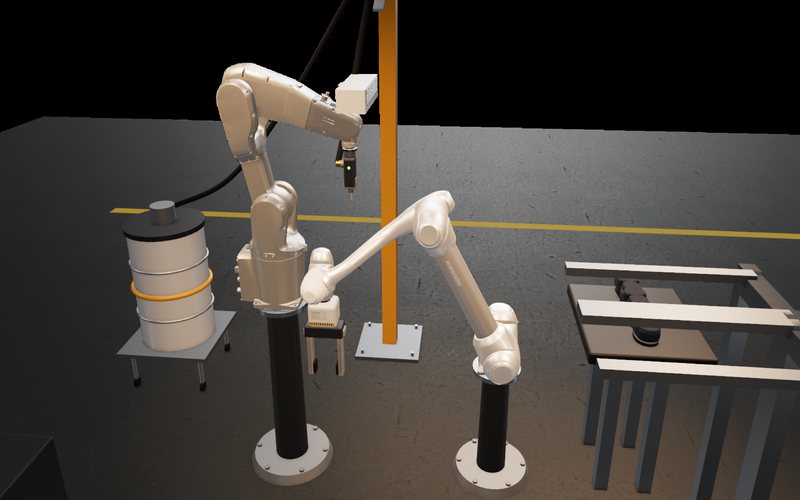
Simulator render: two arms on pedestals meet at one point, one holding the work and one carrying an adhesive gun, with an outfeed rack behind.
soleprint

Outsole bonding

One arm holds the shoe, a 3D scanner measures the sole, a second arm lays the adhesive.

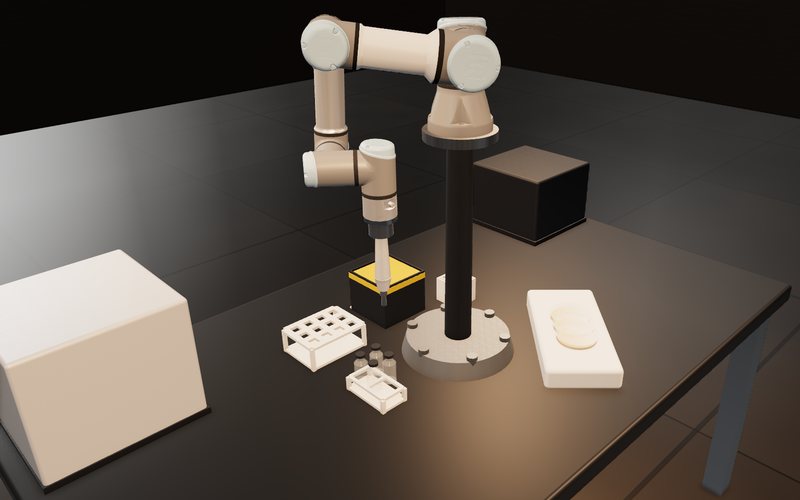
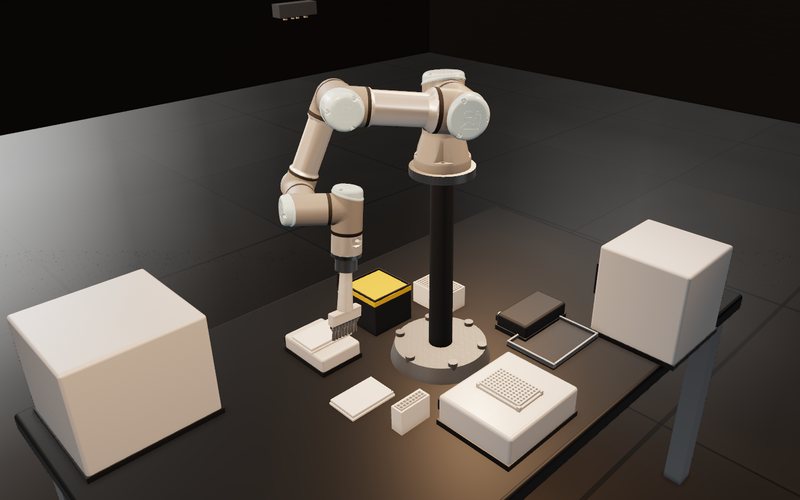
Simulator render: a collaborative arm on a riser carries a pipette over a tip box, tube racks, vials and agar plates.
labassay

Colorimetric assay with plating

Pipette, develop, read, then plate the strongest positives and count colonies.

Simulator render: a collaborative arm with an eight-channel pipette head over a tabletop bench with plates, tip boxes and an incubator.
celldose

Dose-response screen

96-well dosing, incubation, IC50 fit and a Z′ verdict, end to end.

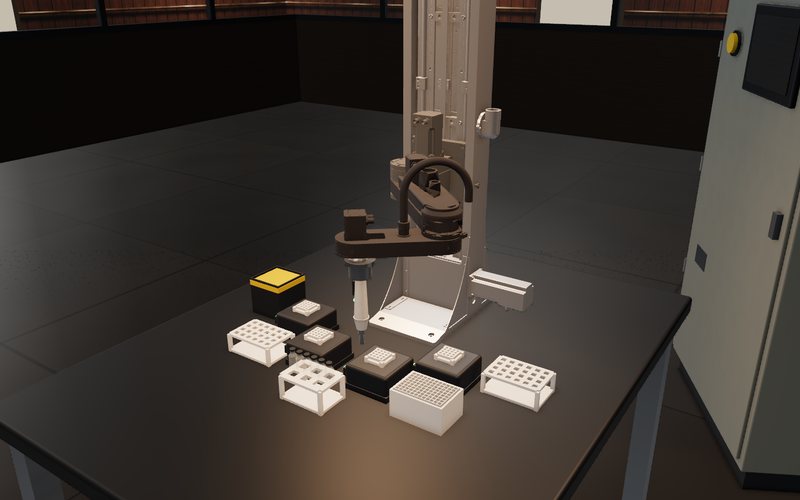
Simulator render: a tabletop SCARA on a column with tube racks, reagent vials, cyclers and a tip box laid round it on a bench.
scaralayout

Bench layout on a SCARA

Stations are read from the scene, so a campaign can search for a faster layout.

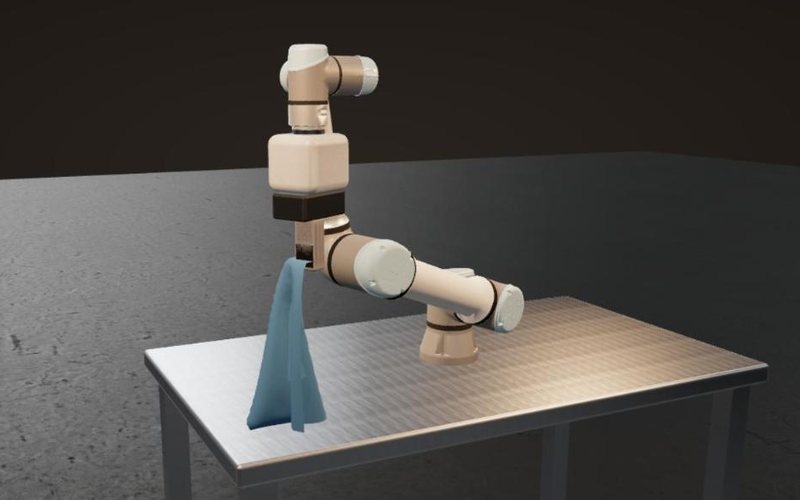
Simulator render: a collaborative arm holds a blue towel by one corner; the cloth hangs and its foot rests on the table.
towel

Picking up a towel

A 400 × 300 mm cloth taken by one corner hangs, drags and crumples like the real thing.

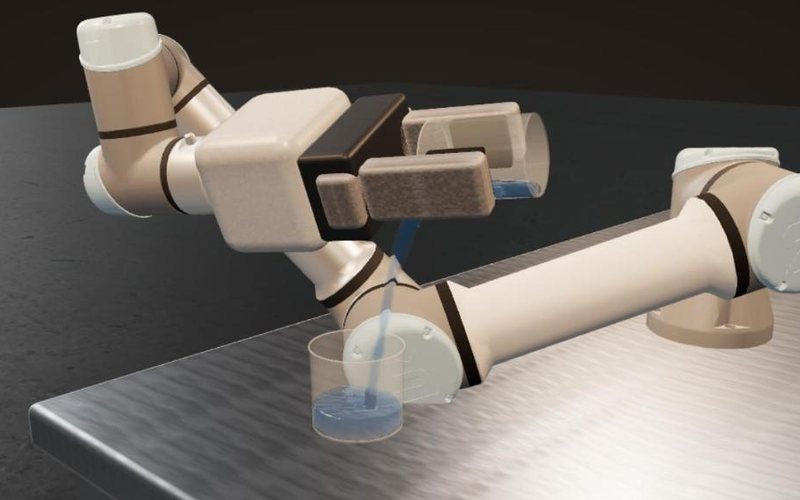
Simulator render: a collaborative arm tips a beaker over its lip and a thin stream of water falls into a cup on the table.
pour

Pouring liquid

174 ml tipped over a beaker lip into a 90 mm cup: 99.7 % landed in it.

Hover a card for the simulator render. Examples use simulator models of commercial robots and sensors; names belong to their owners.

Where it sits

Physical AI has six layers.
We own the three nobody does.

Device control and HMI are where the revenue already is. Orchestration and provenance are where nobody is yet. Studio holds all three in one process, and plugs into the rest.

Studio doesn't pick the brain.
It gives the brain eyes, hands and a record.

  1. FData & provenanceJournal, ELN ledger, reproduce, handoverStudio
  2. EOrchestration & agentic controlMCP tools, risk classes, approval gateStudio
  3. DFoundation models, VLAAny model, registered per rolePlugs in
  4. CSimulation & digital twinRehearsal for the gate; external simulators attachPlugs in
  5. BDevice control & HMIHAL, state charts, ladder, scripts, widgetsStudio
  6. AHardware & sensorsRobots, stages, cameras, scanners, PLCs50+ drivers

Platform · Extensible by design

Any device, any widget,
any algorithm. Yours too.

One core, one contract

The runtime holds the HAL, the script engine, state charts, the gate and the journal. Everything else is a plugin, and every plugin is reached the same way: a typed call with a risk class and a journal entry.

Device plugins

Robots, stages, cameras, 3D scanners, DIO and PLC links load as device drivers behind the HAL's interfaces. Each has a simulated twin, so a cell runs before its hardware arrives.

UI plugins

90+ widgets, from charts and 3D viewers to the robot simulator and lab instruments, drop into forms in the visual designer. The agent wires them to the state chart.

Algorithm plugins

33 modules of 1D, 2D and 3D algorithms: registration, matching, measurement, mesh, segmentation and local perception models. Each function is typed and searchable, so agents compose them.

Your plugins

Build your own device, widget or algorithm against the plugin SDK. User modules live in their own namespace, never collide with official ones, and hot-reload without restarting Studio. Mix any of them in one app.
How development runs

The AI builds with parts that already work.
The harness proves every step.

Functions2,900+typed 1D · 2D · 3D calls
Devices50+drivers, each with a sim twin
MCP tools100+each with a risk class
AI agentplans, composes,
writes
reuses before it writes
Harness
  1. rehearse in the twin
  2. check plan & limits
  3. a person approves
  4. run on the real cell
Evidencejournal
+ ledger
pinned to digests

What the cell proved is where the next iteration starts.

  • Reuse first. The agent searches the functions, devices and tools that exist before it writes anything.
  • Proven on equipment. A step counts once it has run through the gate, in the twin and then on the cell.
  • Unproven stays staged. New code waits in a change set until its evidence passes.

Development automation · 3D algorithms

From goal to a deployed
3D algorithm.

  1. 01Compose
  2. 02Implement
  3. 03Test
  4. 04Approve
  5. 05Deploy

Compose from proven blocks

The agent searches 2,900+ typed functions, chains the ones that fit, and runs the chain live in the engine on your real scan data. Most measurements never need new code.

Implement what is missing

When a block doesn't exist, the agent stages a change set: a script or a native algorithm plugin built against the SDK. Nothing touches the running system yet.

Test against fixed criteria

Criteria are hashed before the first run. The candidate is measured against the baseline on recorded scans, repeated for repeatability and checked on held-out data. Evidence is pinned to the digests of source, input and output.

A person approves the change

The verdict and its evidence go to the approval window. Approval applies the change, and Studio confirms the runtime has actually reloaded it, because applied is not reloaded.

Deploy and scale out

The plugin hot-reloads on the station and ships to every processing node, so throughput grows by adding ordinary PCs. Each result records which version produced it.

agent session · illustrative
  1. › goal: hole centres, repeatability under 10 µm
  2. › api.search("circle fit 3D") → 14 functions
  3. › eval: crop → plane → fit_circle_ransac → 18 µm
  4. › changeset #42: plugin u.holefit (C++) staged
  5. › criteria sha256:91c2… fixed
  6. › A/B on 120 scans: 18 µm → 7 µm pass
  7. › held-out 30 scans pass
  8. › approval requested waiting
  9. › approved · applied · runtime reloaded
  10. › deployed to 3 nodes · result → journal

Cluster mode

Heavy compute, off the station.
The cell never stalls.

Switch cluster mode on and the same scripts send their heavy steps, reconstruction, matching, inspection, to ordinary PCs on the network. The station keeps its devices, its screen and its gate.

  • Same scriptsone switch, no rewrite
  • No device layer on nodesthey compute, they never move anything
  • A lost node loses no taskit is re-queued to another node
  • Per-node monitorwho runs what, live
36 / 36tasks correct with 3 stations sharing 3 nodes, fully overlapped
12 / 12tasks spread evenly across 3 nodes, 4 each
≈9 msadded per task for a small payload

Internal cluster tests, July 2026. Larger payloads add transfer time.

02 · The ontology in detail

Catch the wrong action
before anything moves.

What the gate alone cannot see

A risk class knows how dangerous a call is, not what is true in the cell. A fixture still holding the last part, a forgotten flip, a part heavier than the gripper is rated for: the rehearsal passes, and the mistake shows up on the machine, or never.

Write the cell down as data

Things are typed classes with fields and units: a gripper with its payload, a part with its mass and the side facing up. Actions declare what they need, what they move and what they change, and are frozen by hash once a record exists, so old records keep their meaning.

Preflight: refuse in milliseconds

Before the gate asks anyone, the plan is walked on a copy of the world. The first step that breaks a rule is refused with the rule and the fact. The plan is never quietly repaired; the agent re-plans. A 32-step plan is checked in under 3 ms.

Approve sentences, record effects

The operator approves steps written as sentences, not joint targets. Each executed step becomes a ledger record and updates the world, so the next plan starts from what is really on the bench.

Evidence becomes rules

A hypothesis probed on the real machine and accepted by a person becomes a fact that blocks or relaxes later plans. Domain knowledge stops living in one person’s head: in a pilot, the rules picked the right measuring head 98% of the time against 38% without them.

Two loops, one record

The cell improves.
So does the harness.

Inner loop · the cell
  1. Goal
  2. Plan
  3. Preflight
  4. Rehearse
  5. Approve
  6. Act
  7. Record
  8. Learn

Every run is typed by the ontology, checked before it moves, and written to the same ledger. Accepted evidence becomes a fact the next plan has to respect.

Outer loop · the harness itself
  1. Tasks
  2. Probe
  3. Edit guidance
  4. Held-out test
  5. Adopt

The guidance agents work from is improved the same way: small models run hidden tasks in a test Studio, a stronger model proposes edits, and an edit is adopted only if it wins on tasks it never saw.

8 / 9held-out tasks passed with the revised guidance, against 7 / 9 before
−59%Studio calls per task with the revised guidance, at about the same tokens and time
98% vs 38%right measuring head predicted by ontology rules, in a leave-one-out test on production recipes

Internal pilots, October and September 2026. Small samples; we publish them as they are.

Lab in the loop

Put the lab
inside the loop.

Hypothesis

State the goal and the agent proposes the next experiment: what to change, and what to watch.

Criteria, fixed up front

Pass criteria are hashed before anything runs. Change a tolerance and it becomes a new revision; results measured against the old one stop counting instead of carrying over.

Rehearse

Every step that moves equipment runs in simulation first. Only a plan that passes goes to the real machine.

Run and measure

The equipment runs and the measurements come back, tied to the digests of the source, the input and the artifact they were taken on.

Record and judge

Results land in the experiment ledger and are judged against the fixed criteria. The verdict seeds the next hypothesis.

Closed loop, first class

A campaign is
an object, not a script.

Goal, parameter space, budget, stop rule. A script, a model or an agent picks the next run.

  • Three decide sockets: script, model, external agent
  • Unattended runs with crash recovery
  • Every run reproducible from the ledger
campaign.json · illustrative
{
  "goal": "hole position error under 20 µm",
  "parameterSpace": {
    "exposure_ms": [2, 12],
    "gain_db": [0, 6]
  },
  "budget": { "runs": 40, "hours": 6 },
  "stop": "3 consecutive passes",
  "decide": "agent",
  "criteria": "sha256:4be1…c09a"
}

Capabilities

Everything a cell needs,
in one harness.

01

One HAL for every machine

Stages, robots, cameras, scanners, DIO and PLCs behind one typed surface, each with a simulated twin.

02

3D metrology, composed

Chain 1,200+ proven functions instead of writing new code. 11× repeatability, by composition alone.

03

Cells built by agents

The agent drafts chart, form and script from your spec. A person approves.

04

Rehearsal you can check

40+ robot models, IK, collisions and cycle time. A pass issues the ticket.

05

Throughput on ordinary PCs

Scale out on commodity PCs: 36 of 36 tasks, ~10 ms overhead, lossless failover.

06

Your model, your site

Any model, per role. On-premises, with a data-residency switch.

07

Eyes of its own

Local models for segmentation, pose, grasping and anomalies.

08

The record is the deliverable

Journal, ledger, reproduce tool and a handover package.

Use cases

One HAL for the factory cell
and the research lab.

Inspection & assembly

3D inspection cells

3D verdicts on mixed-vendor cells, next to your PLC.

Chemistry & materials

Self-driving labs

Closed-loop campaigns with criteria fixed up front.

Bio & pharma

Lab automation

One gate in front of every instrument, audited by default.

Universities & national labs

Research benches

Experiments that arrive with their record attached.

Why Studio

A copilot helps an engineer write code.
A harness lets the cell run.

Design-time copilotC3D Studio
ModelOne vendor's cloudAny model, on-premises
EquipmentOne ecosystem50+ drivers, any vendor
AI moves the machineDesign time onlyRun-time gate
3D metrologyPartner-dependentBuilt in
The labNot coveredSame HAL, same gate
Who builds the cellEngineer + integratorAgent drafts, person approves

Oversight

Human oversight,
on the record.

EU AI Act and ISO 10218:2025 ask for human oversight. Studio records it as it runs.

Studio is not a safety PLC. It runs alongside your safety-rated control.

Approval neededrisk B

Move the scanner head to X 105 mm, Z 150 mm

  • sim rehearsal passed · ticket issued
  • limits inside every axis limit
  • agent cannot approve its own request
RejectApprove

→ journaled with who, when and why

Principles

Four things we
never confuse.

  1. exit 0≠verified
  2. verified≠done
  3. done≠applied
  4. applied≠reloaded

FAQ

Questions we
hear first.

Do you build your own foundation model?

No. You pick the model; we build the contract that lets it move real equipment safely. Perception and judgement run on our own local models.

Does it replace our PLC or MES?

No. Studio talks to your PLC over S7, OPC UA or Modbus and owns only the agent interface and the record.

Where does our data go?

Nowhere. Studio runs on-premises, and a data-residency switch refuses any model call that would leave the site.

Talk to sales

Bring us your cell.
Or your lab.

Tell us about the equipment, the scale and the timeline, and we'll get back to you.